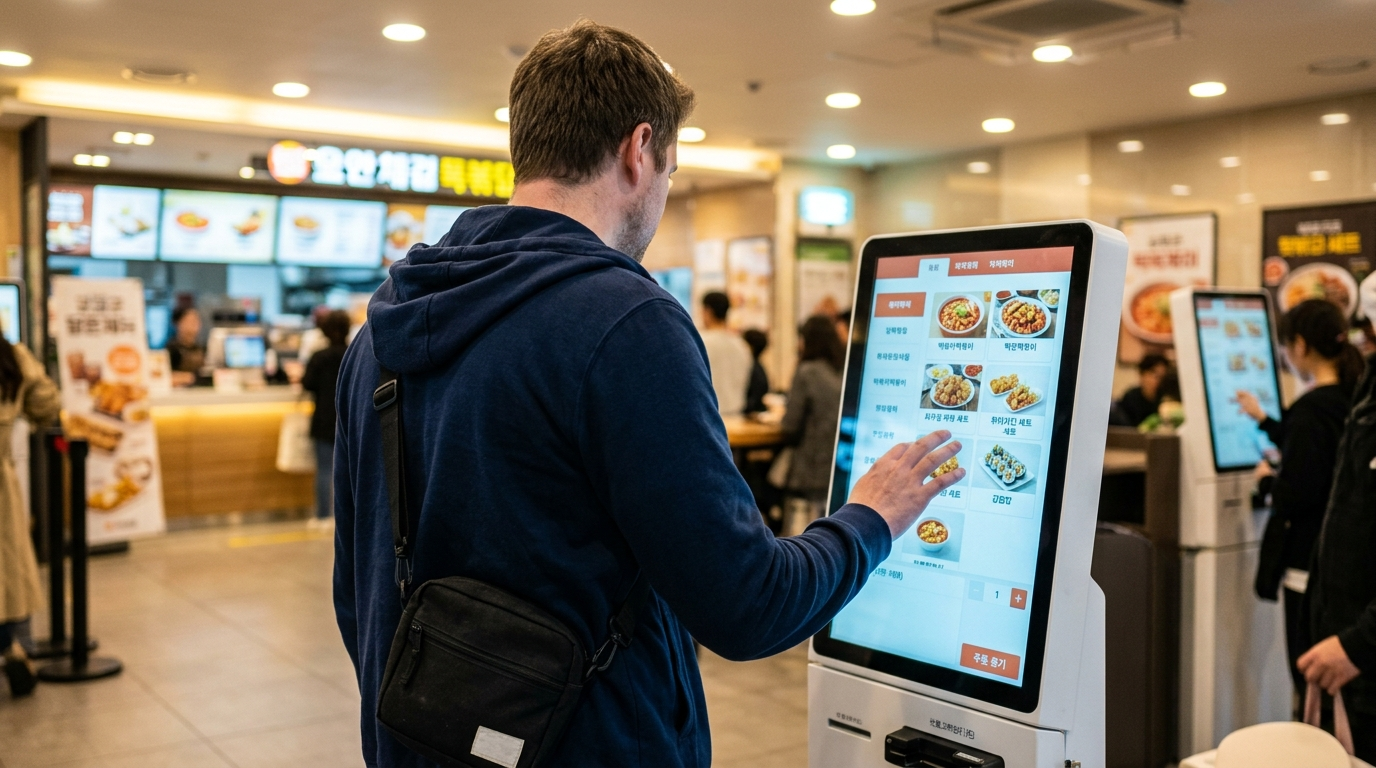
Korea’s restaurant technology is genuinely impressive. Touchscreens at the entrance, tablets built into every table, QR codes that pull up full menus on your phone. Walk into any chain in Seoul and the system feels seamless — fast, clean, no waiting for a server.
But ordering food korea foreigners actually attempt tells a completely different story.
That same technology quietly becomes a wall. The kiosk screen is entirely in Korean. The tablet on the table has no language toggle. The QR code loads a page your phone can’t translate without extra steps. And when your foreign card gets rejected at the payment screen, there’s no staff member standing nearby to help — because the whole point of these systems is that there’s no staff member standing nearby.
The problem isn’t that ordering food in Korea is hard. It’s that three completely different ordering systems exist depending on which restaurant you walk into, and each one fails foreigners in its own way. This article breaks down all three — kiosks, tablets, and counter ordering — along with the five traps that catch people regardless of the system.
Why Ordering Food Has No Single System Here
Korean restaurants don’t operate on one model. Three completely different ordering systems coexist across the country, and the type of restaurant determines which one you encounter.
Kiosk ordering dominates chain restaurants — fast food spots, gimbap franchises, and budget Korean meal chains. You order and pay at a freestanding touchscreen before sitting down. No human interaction required, and often no human available.
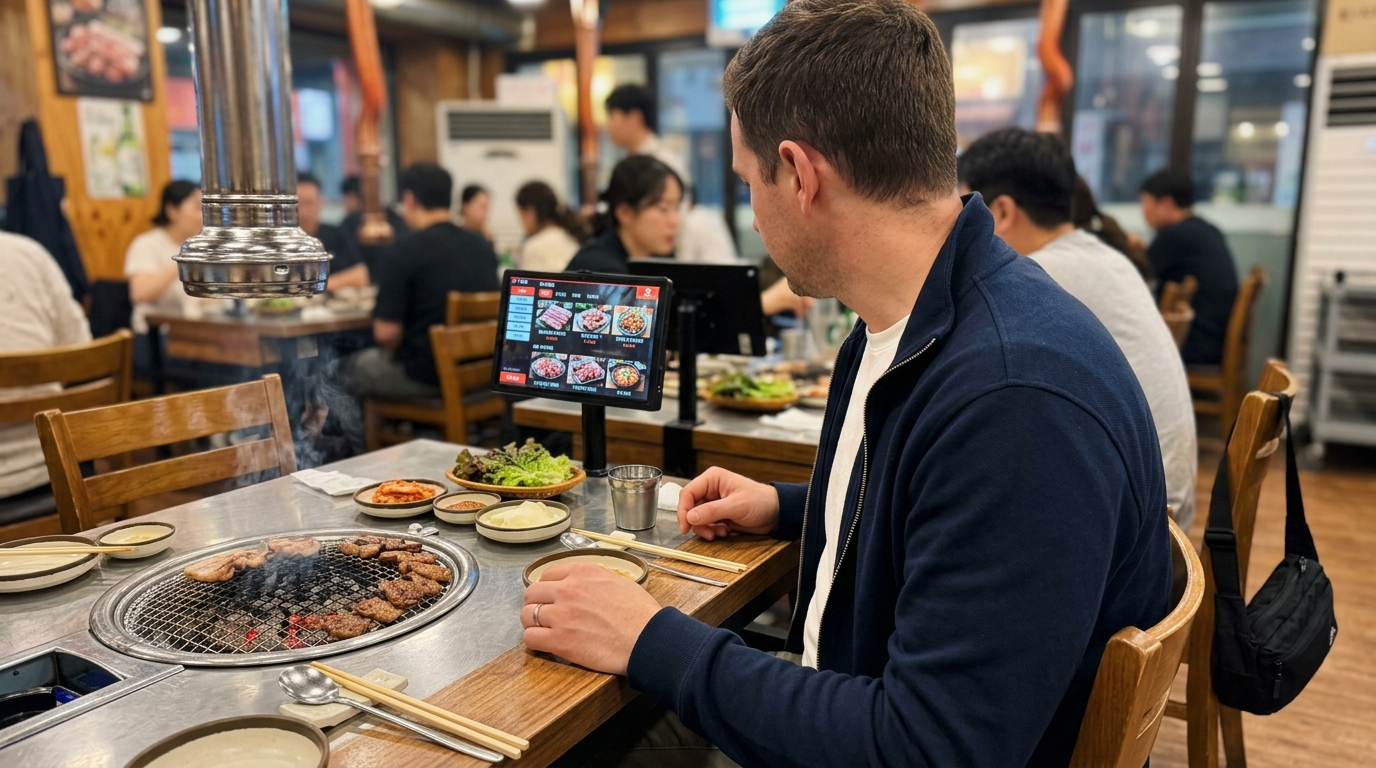
Tablet and QR ordering has spread rapidly through sit-down restaurants, especially Korean BBQ joints, family restaurants, and izakaya-style bars. A device on your table replaces the server for ordering. You browse, select, and submit without flagging anyone down.
Counter and verbal ordering still runs most small local restaurants — the neighborhood 식당 (sikdang) where one person cooks and serves. Here, you order directly at the counter or from your seat, sometimes pointing at a wall-mounted menu written entirely in Korean.
Each system assumes you can read Korean, hold a Korean-issued payment card, and already understand unwritten rules about portions, timing, and etiquette. When it comes to ordering food korea foreigners haven’t prepared for these gaps — and the result is standing in front of a screen with no idea what to press.
If You’re Standing in Front of a Kiosk
Kiosks are the most common ordering system at chain restaurants across Korea. McDonald’s, Lotteria (롯데리아), Burger King, Gimbap Cheonguk (김밥천국), and most fast-casual franchises use them exclusively. In many of these locations, there’s no counter where you can order from a person at all. This is the first wall ordering food korea foreigners hit on day one.
Here’s what you’re working with. The screen defaults to Korean. Menu categories, item names, customization options, and payment prompts are all displayed in Hangul. Major international franchises — McDonald’s, Burger King, and some Lotteria locations — have an English mode. Look for a small flag icon or a button labeled “English” at the top or bottom corner of the screen. It’s easy to miss if you’re not looking for it.
Smaller Korean chains almost never offer English. If you’re at a gimbap franchise or a local fried chicken chain, expect Korean only.
Five buttons you need to recognize regardless of language:
매장 (maejang) means dine-in. 포장 (pojang) means takeout. These two appear on the first screen at almost every kiosk. Getting this wrong doesn’t ruin your meal, but it affects packaging and sometimes pricing. 주문하기 (jumunhagi) means “place order.” 결제하기 (gyeoljehagi) means “proceed to payment.” 취소 (chwiso) means “cancel” — the one button you’ll need most when something goes wrong.
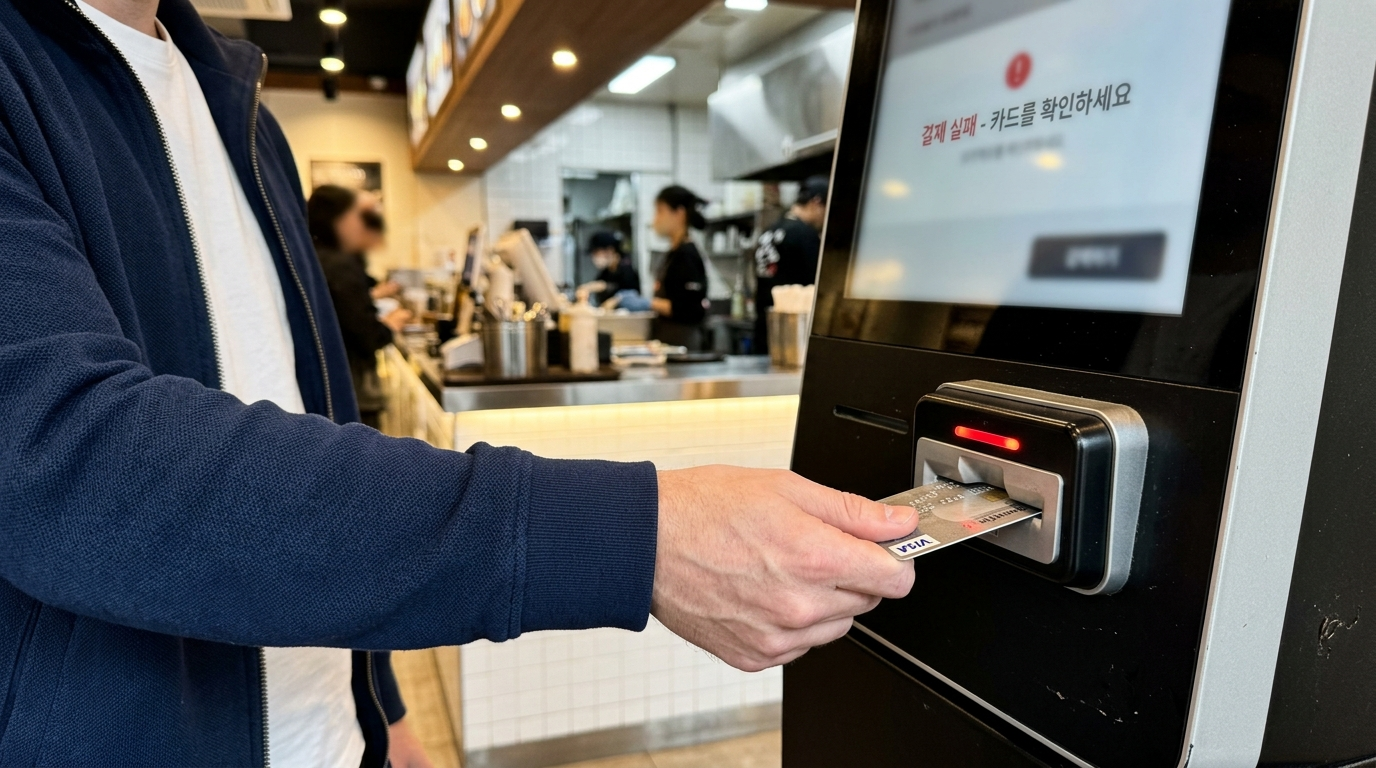
The payment screen is where the real problem hits. Korea’s payment terminals run on a proprietary network called VAN (Value Added Network), and only a small fraction — roughly 10% — support the international EMV standard that foreign credit cards use. Your Visa or Mastercard might work at the counter register of the same restaurant, but the kiosk terminal often rejects it. If you’re relying entirely on a foreign card, this is the moment the system breaks. For a deeper look at why this happens across Korean payment systems, the guide to paying in Korea as a foreigner covers the technical reasons behind card rejections.
Your backup options: carry ₩30,000–₩50,000 in cash (most kiosks accept bills), or get a WOWPASS card, which the system reads as a domestic Korean card. Some kiosks also accept Samsung Pay or KakaoPay — but both require a Korean bank account to set up.
One more thing most people miss: kiosks have a timeout. If you spend too long on a screen — usually 60 to 90 seconds — the session resets and you start over. With a Korean-only interface and unfamiliar menu items, that timer runs out fast.
If Your Table Has a Tablet or QR Code
Sit-down restaurants increasingly use table-mounted tablets or QR codes for ordering. The system is called 테이블오더 (table order) — platforms like T-Order (티오더), PayHere (페이히어), or MenuIt (메뉴잇) power most of them. The tablet shows the full menu with photos, lets you add items to a cart, and submits the order directly to the kitchen. Unlike kiosks, ordering food korea foreigners handle on tablets adds a different layer of friction — you’re already seated, committed, and can’t easily walk out.
Almost none of these have English. The interface, menu descriptions, and customization options are in Korean. Unlike franchise kiosks, there’s no flag icon to tap.
QR code ordering works similarly but loads the menu on your own phone. You scan a code on the table, a web page opens, and you order from there. The advantage is that you can use your phone’s built-in translation — screenshot the page, run it through Google Translate or Papago, and work through the menu that way. It’s slow, but it works.
The call button (호출, hochul) is the feature most foreigners overlook entirely. Nearly every table in a Korean restaurant has one — either a physical button on the table or a button on the tablet screen. Press it, and a staff member comes to your table. If you’re stuck on the tablet menu, the call button is your fastest path to help. You don’t need to wave, shout, or stand up.
Payment through table tablets usually goes to the counter after your meal. You don’t pay at the table in most Korean restaurants. When you’re done, head to the 계산대 (gyesandae) — the payment counter near the exit — and settle there. Leaving cash on the table is not how it works here.
If There’s No Screen at All
Small neighborhood restaurants — the ones with handwritten menus on the wall, plastic tables, and one person doing everything — don’t use kiosks or tablets. You order from a person, either at the counter or from your seat after getting their attention. When it comes to ordering food korea foreigners who can’t read Korean will actually find this format the most forgiving of the three.
This is actually the easiest scenario for foreigners who don’t read Korean, because you can point.
If the restaurant has photos on the menu or a display case near the entrance, point at what you want and say 이거 주세요 (igeo juseyo) — “this, please.” That single phrase handles most situations at small restaurants. For food-specific Korean phrases including ordering, complaints, and special requests, a dedicated phrase guide is planned as a follow-up to this article.
The portion system catches people off guard more than anything else at these restaurants. When ordering food korea foreigners often assume one person equals one portion — but Korean meals, especially BBQ, hot pot, and stew dishes, are ordered by 인분 (inbun), which means “serving” or “portion.” One portion is 일인분 (il-inbun). Two portions is 이인분 (i-inbun). Many BBQ restaurants require a minimum order of 2인분 (i-inbun) per meat type. If you’re eating alone and try to order 일인분 of samgyeopsal, the owner may refuse. This isn’t rudeness — it’s how the portioning and pricing system works for shared dishes.
Side dishes (반찬, banchan) are free and refillable at virtually every Korean restaurant. You don’t order them. They arrive automatically with your main dish. If you want more of a specific side, say 반찬 더 주세요 (banchan deo juseyo) — “more side dishes, please.” This is one of the best parts of eating in Korea, and many first-time visitors don’t realize they can ask for refills at no charge.
5 Assumptions That Break Before You Finish Ordering
Regardless of which system you encounter, five assumptions consistently cause problems. These are the gaps in ordering food korea foreigners haven’t been warned about in advance.
1. “My foreign card will work.” It might — at the counter register. But at a kiosk, the odds drop sharply. Korea’s VAN-based payment network handles domestic cards natively, but foreign EMV cards need a different processing path that most kiosk terminals don’t support. The Korea Consumer Agency provides consumer rights information for situations where payment systems fail, but in practice, having a backup payment method matters more than filing a complaint.
2. “There will be English somewhere on the screen.” At McDonald’s or Burger King, probably. Everywhere else, probably not. Even restaurants in tourist-heavy areas like Myeongdong or Hongdae frequently run Korean-only kiosks and tablets. Expecting English is the fastest way to freeze at the ordering screen.
3. “I can order one portion of anything.” BBQ and hot pot restaurants commonly enforce a 2인분 minimum per dish. Some don’t display this on the menu — you find out when you try to order. If you’re solo, look for restaurants that specifically advertise 1인분 options, or stick to dishes like bibimbap, jjigae, or gimbap where single servings are standard.
4. “매장 and 포장 don’t matter that much.” At a kiosk, selecting the wrong one changes your order flow. Choosing 포장 (takeout) when you plan to eat inside means your food might arrive in a bag instead of on a tray. At some restaurants, dine-in and takeout have different prices. It’s a small detail that creates unnecessary confusion when everything else on the screen is already unfamiliar.
5. “If I need help, I’ll just find a staff member.” Kiosk-only restaurants often have minimal staffing — that’s the point of the kiosk. If the system fails (card rejected, order stuck, wrong selection), there may be no one within reach. The best move is to look for a small “Call” or help icon on the kiosk screen itself. Some kiosks connect to a remote assistance service. Otherwise, try the counter if one exists — staff there can sometimes process your order manually.
How to Read Any Restaurant in the First 30 Seconds
You can figure out the ordering system before you sit down. Most frustration around ordering food korea foreigners experience comes from not recognizing which system the restaurant uses until it’s too late. Here’s what to look for the moment you walk in.
If there’s a large touchscreen standing near the entrance — usually between the door and the seating area — that’s a kiosk restaurant. Check for a language button first. If there is one, switch to English and proceed. If there isn’t, pull out your phone, open your camera, and use a live translation app (Google Translate’s camera mode or Papago) to read the screen as you navigate.
If there’s no kiosk but you notice a device flat on each table, that’s a tablet ordering system. Sit down, check the tablet for a language option (rare but possible), and use the call button to ask for help if needed. The convenience store guide covers similar self-service systems that work the same way — screen-based, Korean-default, with limited support for non-Korean users.
If there’s no kiosk and no tablet, look for the menu. It’s usually mounted on the wall behind the counter, printed on the table, or handed to you as a laminated sheet. Photos help enormously. Point and order.
When nothing else works — no English mode, no photos, no visible menu — fall back on three things: cash, your phone’s translation app, and 이거 주세요. That combination handles ordering food korea foreigners face at any restaurant in Korea, regardless of the system.
If in-person ordering feels overwhelming on a given day, Korea’s delivery app ecosystem is a workable alternative. The delivery app guide for foreigners covers which apps have English support and which payment methods they accept.
Questions That Come Up Most
Do kiosks at Korean restaurants accept foreign credit cards?
Sometimes, but not reliably. Major international franchise kiosks (McDonald’s, Burger King) have a higher acceptance rate for Visa and Mastercard. Korean franchise kiosks and smaller restaurant kiosks frequently reject foreign cards because their payment terminals use the domestic VAN network rather than international EMV processing. This card rejection pattern is one of the most common obstacles when ordering food korea foreigners run into at kiosks. Carry cash or a WOWPASS card as backup. The counter register at the same restaurant will often accept the foreign card that the kiosk rejected.
Can I order just one portion at a Korean BBQ restaurant?
It depends on the restaurant and the dish. Most Korean BBQ places require a minimum of 2인분 (two portions) per meat selection because the grilling setup and side dish service are designed for shared meals. Some restaurants offer 1인분 options — usually marked on the menu or advertised outside — but they’re less common. Solo diners can avoid this issue by choosing restaurants that specialize in single-portion meals, such as those serving bibimbap, jjigae (stew), or noodle dishes.
What if there’s no English menu and I can’t read any Korean?
Use your phone. Google Translate and Naver Papago both offer camera-based live translation — point your phone camera at the menu, and an overlay translates the text in real time. The translations aren’t perfect, but they’re accurate enough to identify dishes, prices, and portion sizes. This is the single most useful tool for ordering food korea foreigners can carry. For restaurants with picture menus, point at the photo and say 이거 주세요 (igeo juseyo). In situations where even that fails, the Korea Tourism Organization’s multilingual helpline (Visit Korea) offers real-time interpretation support at 1330.
Before You Walk In: What to Have Ready
Here’s the short version. Every problem with ordering food korea foreigners run into can be prevented — or at least managed — with these six things prepared before you step through the door.
Quick Check
☐ Cash: ₩30,000–₩50,000 in ₩1,000 and ₩10,000 bills — kiosks accept bills, not always coins
☐ Phone with camera and a translation app installed (Google Translate or Papago)
☐ WOWPASS or other locally-issued prepaid card as payment backup
☐ Three phrases memorized: 매장 (dine-in), 포장 (takeout), 이거 주세요 (this please)
☐ Know the call button exists — 호출 (hochul) on tablets or physical buttons on the table
☐ Check for an English mode button (flag icon) before starting any kiosk order
Where to Go From Here
Ordering food korea foreigners encounter in Korea isn’t broken — it’s just built for people who already know the system. The kiosk expects Korean literacy. The tablet expects a local payment card. The neighborhood restaurant expects you to understand portion rules nobody explains.
None of these are hostile. They’re just invisible walls until you hit them.
The fix is simpler than it looks: carry cash, learn five Korean words, and check the ordering system before you sit down. That covers about 90% of situations. For the remaining 10%, your phone’s camera and a willingness to point at pictures will get you through.
Korea’s food is one of the strongest reasons to be here. The ordering system shouldn’t be the thing that keeps you from it.